Google Review QR Code Generator
Take a customer straight to the “write a review” box for your business.
- Free, with no account
- Static — it never expires
- Encoded on your device
Or paste a Google Maps URL containing place_id= and we will pull it out.
Finding your Place ID
- 1. Search the web for “Google Place ID Finder” — it is a free page Google hosts.
- 2. Type your business name and pick it from the suggestions.
- 3. Copy the ID shown under the pin and paste it above.
- 4. Scan the preview with your own phone and check the right business appears.
Export
SVG has no resolution at all — it is the right choice for anything that will be printed.
Appearance & encoding
Higher levels survive damage and allow a bigger logo, but make the symbol denser.
The specification requires 4. Below that, decoders often fail to find the symbol at all.
Centre logo
PNG, JPG, SVG or WebP up to 512 KB. The file is read in this tab and never uploaded.
The safe maximum depends on the symbol size, not just the error-correction level — the check below works it out for the code you actually have.
Print readiness
What is actually encoded
What gets encoded
One URL, on a Google domain, with your Place ID as the only parameter:
https://search.google.com/local/writereview?placeid=ChIJN1t_tDeuEmsRUsoyG83frY4
This is Google's own endpoint for the write-a-review dialog. It does not go via Maps search, so the customer does not have to find their way to your listing and hunt for the review button — the box opens directly.
Placement is the whole game
The generator takes ten seconds. Getting reviews is about where the code lives and when the customer meets it.
- On the bill or receipt. The moment of highest goodwill in most transactions.
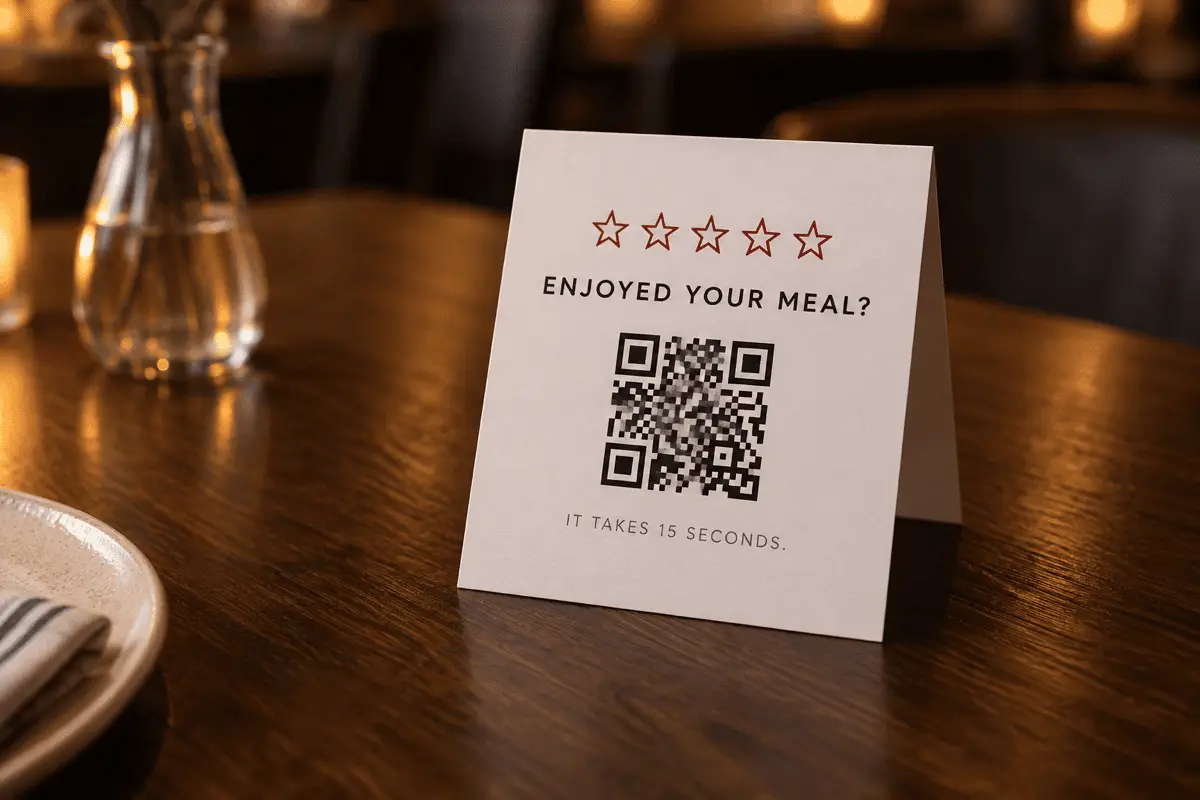
- Table tents. Works while people wait, which is when they are most willing.
- Packaging inserts. Reaches the customer at home, after the product has actually been used.
- Counter cards at the exit. Catches people on the way out, when they are already reaching for their phone.
- Email and invoice footers. The same URL works as a plain link — no code needed on a screen.
Ask everyone, not only the happy ones
What to print alongside it
A bare code gets ignored. Give people the reason and the cost: “Enjoyed your meal? A review takes 15 seconds.” Naming the effort is what moves people who would otherwise assume it means creating an account. Adding your business name under the code also lets a cautious scanner confirm where the link goes before tapping.
Limits worth knowing
- Google decides what happens after the tap. If the review UI changes, so does the experience — the URL is stable, the page behind it is theirs.
- Sign-in is required. Anonymous reviews are not a thing on Google.
- One Place ID per location. A chain needs one code per branch, and mixing them up sends a review to the wrong shop.
- We do not verify the ID. The generator never contacts Google. Scan your own code and confirm the right business appears before printing.
FAQ
Frequently asked questions
Where do I find my Place ID?
ChIJ and is around 27 characters. You can also paste a Maps URL here that contains place_id= and we will extract it.Why not just use my Google Business short link?
g.page/r/... short links Google hands out have been reorganised more than once, and a short link is an indirection someone else controls. The Place ID URL is the canonical form and has been stable for years. If you already have a short link that works, it is fine — but the Place ID is what we would print.Does this go through QRCodeDojo?
search.google.com address directly. We never see a scan, and there is no counter, redirect or tracking layer of ours anywhere in the path.What does the customer see?
Is it against Google's rules to ask for reviews?
Can I see how many reviews came from the code?
Keep going