Wi-Fi QR Code Generator
Let guests join your network by pointing a camera at a card — no password typed out loud.
- Free, with no account
- Static — it never expires
- Encoded on your device
Exactly as it appears in the Wi-Fi list, including capitals and hyphens.
WPA covers WPA, WPA2 and WPA3.
Punctuation is escaped automatically.
Leave unticked unless you specifically turned SSID broadcast off.
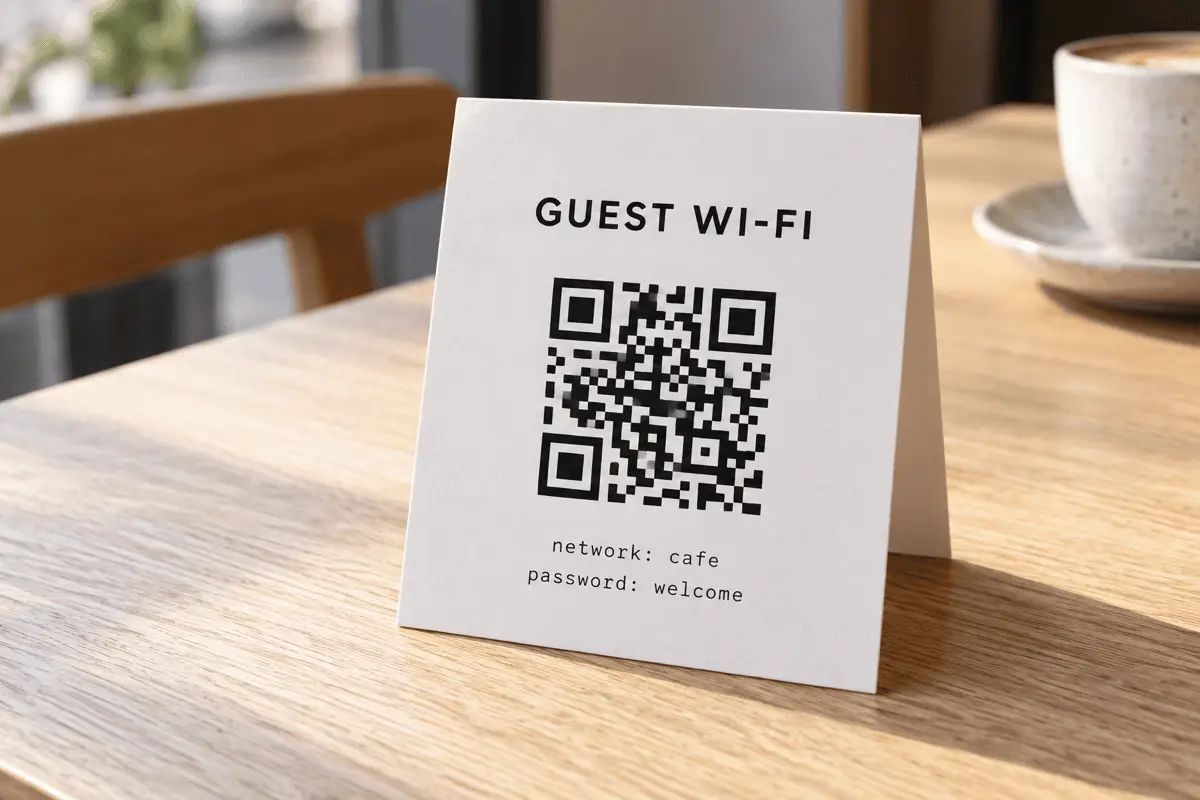
Print the password underneath as well
Laptops cannot join from a camera scan, and neither can a guest whose phone camera is playing up. A card with the code and the password in readable text solves both cases and costs you nothing.
Export
SVG has no resolution at all — it is the right choice for anything that will be printed.
Appearance & encoding
Higher levels survive damage and allow a bigger logo, but make the symbol denser.
The specification requires 4. Below that, decoders often fail to find the symbol at all.
Centre logo
PNG, JPG, SVG or WebP up to 512 KB. The file is read in this tab and never uploaded.
The safe maximum depends on the symbol size, not just the error-correction level — the check below works it out for the code you actually have.
Print readiness
What is actually encoded
What goes inside a Wi-Fi QR Code
The payload is a single line of text in a format ZXing defined and every phone now
follows. For a network called Guest-Network with the password
welcome-2026 on WPA2, it is exactly this:
WIFI:T:WPA;S:Guest-Network;P:welcome-2026;;
Four fields, semicolon-separated, terminated by a double semicolon.
T is the security type, S the network name, P the
password, and an optional H:true marks a hidden network. That is the whole
specification. There is no encryption layer and no server involved — which is why it
works with the phone in aeroplane mode, and why the password is readable by anyone who
scans the card.
The escaping rule most generators get wrong
Because ; separates fields and : separates a field from its
value, five characters are special: \, ;, ,,
: and ". Each one inside your SSID or password must be
preceded by a backslash. A password of p@ss;word has to be written
p@ss\;word, or the reader stops at the semicolon and tries to join with
p@ss.
There is a second, rarer trap. If your SSID or password consists only of hexadecimal
digits and has an even length — C0FFEE, say — some readers interpret it as
hex-encoded bytes rather than literal text. The fix is to wrap the value in double
quotes. We detect that case and quote it for you; the note under the preview tells you
when it has happened.
Guest network, not your main one
Where these work well
- Cafés and restaurants. One card per table beats shouting a password across a room.
- Short-term rentals. Frame it in the hallway. Guests arrive late, tired, and with no wish to read a laminated binder.
- Meeting rooms and co-working desks. A sticker on the table edge removes an entire category of small interruption.
- Trade-show stands. Rotate the guest password after the show and reprint — the code costs nothing to regenerate.
Limits worth knowing
- Desktop operating systems do not join from a scan. Windows and macOS have no equivalent handler. Always print the password too.
- Enterprise networks (WPA2-Enterprise, 802.1X) are not supported. The format has no field for a username or a certificate.
- Changing the password means reprinting. The credential is inside the pattern; there is no indirection to update.
- Captive portals still appear. The code joins the network. If your router then demands a click-through, guests will still see it.
Print size for a Wi-Fi code
Wi-Fi payloads are short, so the symbol is usually version 2 to 4 — a 25×25 to 33×33 grid. On an office laser printer that means roughly 20 mm square is comfortable and 15 mm is about the floor. A table tent read at arm's length is fine at 25 mm. Run the exact numbers with the print size checker if you are laying out a small card.
FAQ
Frequently asked questions
Does my Wi-Fi password get sent to your servers?
Is it safe to put my Wi-Fi password on a card guests can see?
Which phones support Wi-Fi QR Codes?
Why does my password with a semicolon not work elsewhere?
; as a field separator, so a literal semicolon, comma, colon, quote or backslash inside your password has to be escaped with a backslash. We do that automatically. Many generators do not, which is why a password with punctuation often fails on other sites.What is the “hidden network” checkbox for?
H:true is added. Be aware that hidden-network joining is unreliable on some Android builds — test with a real phone before you laminate anything.Can I use this for WPA3?
T:WPA value covers WPA3 in practice, and phones negotiate the strongest protocol the router offers. There is no separate WPA3 value in the format.Keep going