UTM QR Code Builder
Tag a printed campaign so the traffic it brings shows up properly in analytics.
- Free, with no account
- Static — it never expires
- Encoded on your device
Where the visitor should land. Existing query parameters are preserved.
The physical placement. Required by every analytics tool.
The channel. Use qr or print consistently.
The initiative. Keep it short — every character makes the symbol denser.
Optional: term and content
Originally for paid keywords. Rarely useful for print.
Use it to A/B two versions of the same placement.
A naming scheme that survives contact with reality
- medium — always
qr. One value, never varied, so you can filter all print traffic at once. - source — the object the code is printed on:
table-tent,window,receipt. - campaign — the push, with a date:
spring26. - Write the scheme down somewhere. In six months you will not remember it, and neither will anyone else.
Export
SVG has no resolution at all — it is the right choice for anything that will be printed.
Appearance & encoding
Higher levels survive damage and allow a bigger logo, but make the symbol denser.
The specification requires 4. Below that, decoders often fail to find the symbol at all.
Centre logo
PNG, JPG, SVG or WebP up to 512 KB. The file is read in this tab and never uploaded.
The safe maximum depends on the symbol size, not just the error-correction level — the check below works it out for the code you actually have.
Print readiness
What is actually encoded
What this actually does
It appends five well-known query parameters to your URL and encodes the result. Nothing more, and deliberately nothing less:
https://example.com/spring-menu?utm_source=table-tent&utm_medium=qr&utm_campaign=spring26
When someone scans that, their browser sends the whole URL to your server. Your analytics reads the parameters and files the visit under that source. The data path is: printed paper → the visitor's phone → your website. There is no fourth party, no redirect service, and nothing that expires.
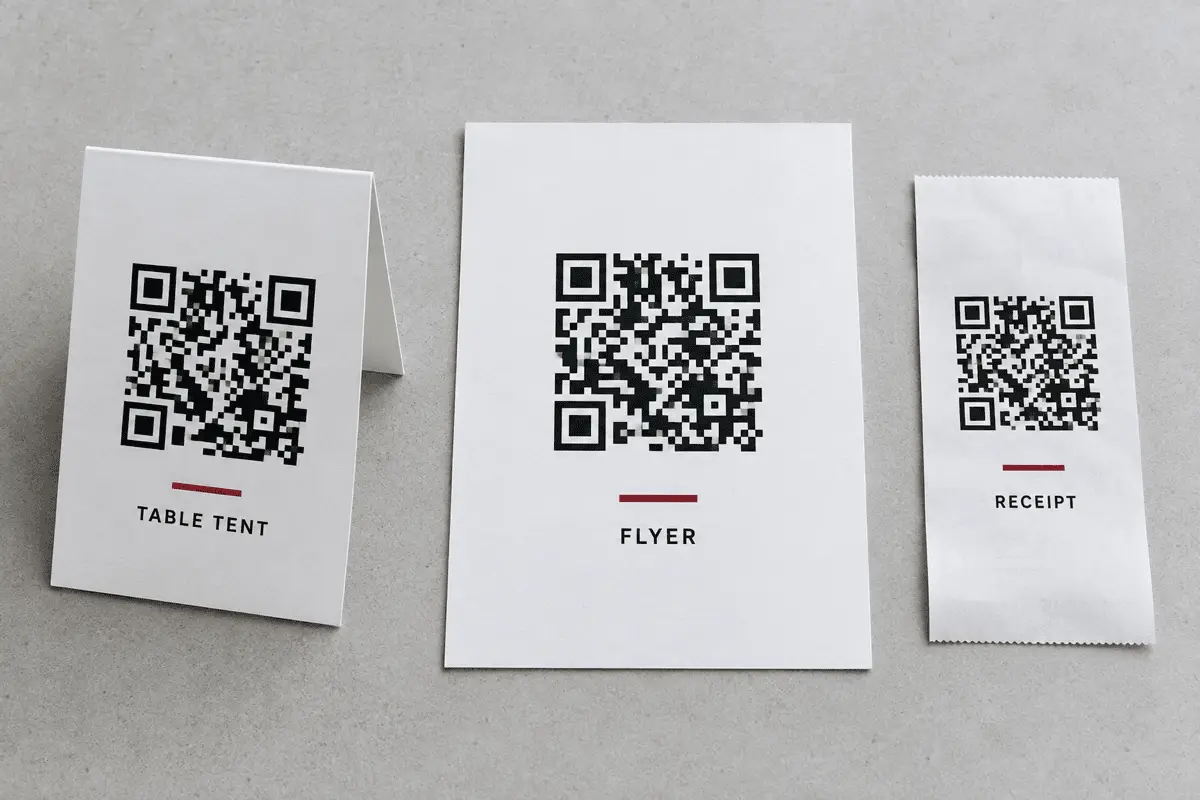
Attribution without a middleman
The usual pitch for a dynamic QR Code is analytics: “see how many people scanned it”. That number comes at a real price — every scan passes through a third party's redirect, which means they can meter it, price it, or let the domain lapse and take your whole print run with it.
UTM tagging gets you most of the way there for free. You lose the raw scan count, including scans that never reach your site. You gain a link that cannot be switched off, and attribution that lives in your own analytics where it belongs. For almost every printed campaign that is the better trade.
What you can and cannot see
Keeping the URL short
- Use a short path on the landing page —
/spring, not/promotions/2026/spring-menu-launch. - Drop
utm_termandutm_contentunless you are genuinely splitting a test. - Abbreviate the campaign:
spring26carries the same meaning asspring-promotion-2026and costs 13 fewer characters. - Skip
www.if your site redirects the bare domain. - Check what the length did to the symbol in the print size checker before printing.
Limits worth knowing
- No scan counter. Only visits that arrive at your site are recorded.
- Parameters can be stripped. A few privacy tools and in-app browsers remove them. The visit still lands; the attribution does not.
- Longer URL, denser code. There is no way around this one.
- Your analytics has to be working. Tag all you like — if the tracking script is blocked or broken, there is nothing to read.
FAQ
Frequently asked questions
Is this the same as tracking scans?
What is the difference between source, medium and campaign?
utm_source is where the visit came from — the physical placement, like table-tent or shop-window. utm_medium is the channel, and for a printed code that is qr or print. utm_campaign is the initiative they belong to, like spring-2026. Source answers “which piece of paper”, medium answers “what kind of marketing”, campaign answers “which push”.Why were my parameters lowercased?
Print and print as two separate sources, and a campaign split across three spellings is a campaign you cannot read. We lowercase everything and turn spaces into hyphens so the data stays in one row.Do UTM parameters make my QR Code bigger?
spring26 rather than spring-promotion-2026-national.Will visitors see the ugly URL?
Does this work with analytics tools other than Google?
Keep going